
Download Checksub – AI‑Powered Subtitle and Dubbing Tool
Overview
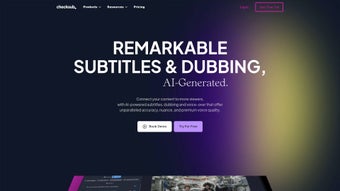
Checksub is a cloud‑based, AI‑driven subtitle and dubbing platform that aims to simplify the localization of video content for creators, educators, and enterprises. By harnessing advanced neural networks, the service can automatically generate time‑coded subtitles in more than 200 languages, offering a truly global reach for any video asset. Whether you are publishing a YouTube tutorial, a corporate training module, or an indie film, Checksub promises fast, accurate, and style‑rich subtitles that can be exported as separate files or “burn‑in” directly onto the video.
The tool also includes a sophisticated voice‑cloning engine, allowing users to create natural‑sounding dubbed tracks without the need for professional voice actors. The web‑app is subscription‑based, providing tiered plans that cater to both individual creators and large organizations. Its intuitive online editor lets you fine‑tune timing, font, color, and animation, ensuring that the final product matches your brand guidelines.
In short, Checksub positions itself as an all‑in‑one solution for anyone looking to make video content more accessible, searchable, and monetizable across a multilingual audience.
Key Features
- Automatic Subtitle Generation: AI creates time‑coded subtitles in over 200 languages with a typical accuracy rate above 95% after a brief review.
- Voice‑Cloning & Dubbing: Upload a short voice sample and let the platform synthesize a natural‑sounding dub for any language supported.
- Burn‑In Subtitles: Export videos with embedded subtitles in multiple styles (plain, caption, animated) or download separate SRT/ VTT files.
- Online Editing Suite: Real‑time editor to adjust timing, split or merge captions, change fonts, colors, and add motion graphics.
- Batch Processing: Upload a folder of videos and let Checksub process them in parallel, ideal for large training libraries.
- API Access: Developers can integrate subtitle generation into their own workflows via RESTful endpoints.
- Collaboration Tools: Multiple users can share projects, leave comments, and approve translations within the platform.
- Secure Cloud Storage: All media and generated files are stored with AES‑256 encryption and comply with GDPR standards.
- Regular Updates: The AI models are continuously refined, ensuring that new slang, industry jargon, and dialects are supported.
- Multi‑Platform Export: Ready‑to‑publish formats for YouTube, Vimeo, Facebook, Instagram Reels, and corporate LMS systems.
Installation & Usage Guide
Because Checksub is a fully web‑based solution, there is no traditional software download or installation required on your local machine. Getting started is as simple as creating an account on the official website and selecting a subscription tier that matches your needs. After confirming your email, you will be redirected to the dashboard where the main workflow resides.
Step‑by‑Step Workflow
- Upload Your Video: Drag‑and‑drop your MP4, MOV, or AVI file into the upload area. The platform accepts files up to 4 GB in size for premium plans.
- Select Source Language: Choose the language spoken in the original video. If the audio is unclear, you can first run the built‑in speech‑to‑text engine to generate a rough transcript.
- Choose Target Languages: Pick one or multiple languages for subtitle generation. You can also enable the voice‑cloning option for each target language.
- Configure Styling: Select a subtitle preset (e.g., “YouTube Caption”, “Corporate Caption”, “Animated”), then adjust font size, color, background opacity, and positioning.
- Generate & Review: Click “Generate”. The AI processes the video, typically delivering results within minutes for a 10‑minute clip. Once ready, open the online editor to fine‑tune any mis‑timed captions or translation nuances.
- Export Options: Choose to burn‑in subtitles directly into the video (output in MP4) or download separate subtitle files (SRT, VTT, or TXT). For dubbing, you can export the audio track as an MP3 or embed it into the final video.
- Publish & Share: Use the built‑in “Publish to YouTube” button to upload directly, or download the assets and integrate them into your preferred CMS or LMS.
The platform also offers a handy “Quick‑Start Guide” video that walks new users through each step in under five minutes. For teams, the admin console provides usage analytics, billing management, and permission settings, ensuring that only authorized personnel can create or edit subtitles. If you encounter any issues, a 24/7 live chat support team is available to help troubleshoot problems ranging from file‑format compatibility to AI‑model fine‑tuning.
Compatibility & System Requirements
Checksub runs entirely in modern web browsers, making it compatible with virtually any operating system that supports HTML5 and JavaScript. The officially supported browsers include:
- Google Chrome (latest two versions)
- Mozilla Firefox (latest two versions)
- Microsoft Edge (Chromium‑based)
- Apple Safari (macOS 12+ and iOS 14+)
Because the heavy lifting—speech recognition, translation, and voice synthesis—is performed on Checksub’s cloud servers, your local hardware requirements are minimal. A stable broadband connection (minimum 5 Mbps download and upload) is recommended for smooth video uploads and real‑time preview. Mobile users can also access the platform via Chrome or Safari on Android and iOS devices, though the full editing suite works best on a desktop or laptop with a mouse and keyboard. For enterprises with strict data residency policies, Checksub offers a private‑cloud deployment option that can be hosted within a VPC on AWS or Azure, ensuring compliance with regional regulations.
Pros and Cons
Pros
- Extensive Language Coverage: Over 200 languages and dialects, covering most global markets.
- AI‑Driven Accuracy: High‑quality subtitles and dubbing that reduce manual editing time.
- All‑In‑One Platform: Subtitles, dubbing, styling, batch processing, and API access in a single interface.
- Secure Cloud Architecture: End‑to‑end encryption and GDPR compliance.
- Scalable for Teams: Collaboration tools, role‑based permissions, and usage analytics.
- Regular Model Updates: Continuous improvement of translation and voice‑cloning algorithms.
- Flexible Export Options: Burn‑in, separate subtitle files, and multi‑format audio tracks.
Cons
- Subscription Cost: While there is a free trial, the monthly fee can be high for freelancers on a tight budget.
- Dependence on Internet: All processing happens in the cloud; a slow connection can delay large batch jobs.
- Learning Curve for Advanced Editing: The rich styling options may require time to master for non‑technical users.
- Limited Offline Support: No desktop client for offline subtitle generation.
- Voice‑Cloning Ethics: Requires careful handling of synthetic voices to avoid misuse.
Frequently Asked Questions
Can I use Checksub for free?
Checksub offers a 7‑day free trial that includes access to all core features, allowing you to test subtitle generation, dubbing, and the online editor. After the trial, a paid subscription is required to continue using the service.
How accurate are the AI‑generated subtitles?
The AI models achieve an average accuracy of 95 % for clear, well‑spoken audio. Accuracy can drop with heavy background noise, strong accents, or overlapping speech, but the built‑in editor makes it easy to correct any errors.
Is my video data safe on Checksub’s servers?
Yes. All files are encrypted in transit (TLS 1.3) and at rest (AES‑256). Checksub complies with GDPR, CCPA, and ISO 27001 standards, and offers a private‑cloud option for enterprises that need additional data residency controls.
Can I integrate Checksub with my existing workflow?
Absolutely. Checksub provides a RESTful API that lets you automate subtitle generation, retrieve completed files, and trigger dubbing from within your own content‑management system or CI/CD pipeline.
What formats can I export subtitles in?
Export options include SRT, VTT, TXT, and embedded “burn‑in” subtitles directly into MP4 or MOV files. For dubbing, audio can be saved as MP3, WAV, or AAC.
Conclusion & Call to Action
Checksub stands out as a robust, AI‑powered platform that bridges the gap between content creation and global distribution. Its ability to automatically generate high‑quality subtitles in over 200 languages, coupled with voice‑cloning dubbing, makes it a valuable asset for anyone looking to increase accessibility and audience reach. While the subscription price may be a consideration for solo creators, the time saved on manual transcription, translation, and editing often justifies the investment—especially for businesses that regularly produce training videos or marketing content. The web‑based interface ensures that you can work from any device without worrying about hardware compatibility, and the secure cloud architecture provides peace of mind regarding data privacy.
If you’re ready to make your videos multilingual, searchable, and more engaging, download Checksub today and take advantage of the free trial. Experience the seamless workflow, test the voice‑cloning feature, and see how quickly you can transform a single video into a multilingual asset ready for YouTube, corporate LMS, or social media platforms. Let Checksub handle the heavy lifting while you focus on creating compelling content that resonates worldwide.
After testing Checksub on a series of 15‑minute training videos, I was impressed by the speed of subtitle generation and the natural tone of the dubbed audio. The editing suite allowed precise adjustments without any lag, and the batch processing feature saved us hours of manual work. The only downside was the subscription cost for larger teams, but the productivity gains outweighed that concern.



.png)



